NES.emu (NES Emulator)
- 4.3
- Rating
- 100.00K
- Installs
- $3.99
- Price

 Analysis by App-foxy
I enjoy retro games most when the setup stays out of the way, and NES.emu is built around exactly that idea: turning an Android device into a player for Nintendo Entertainment System software. It is an arcade-focused game from Robert Broglia, released on February 9, 2011, with the simple store summary “NES Emulator.” That description is brief, but it points to the real purpose of the app: this is not a new game with its own campaign, levels, or characters. It is an emulator intended for people who already have compatible game files and want to play them on a phone or tablet.
That distinction matters before spending anything. The app itself is paid, listed at $3.99, and rated for Everyone. The purchase gives you the emulator, not a bundle of classic games. In my view, that makes the decision less about collecting another arcade title and more about whether you want a dedicated NES-playing tool that you can keep using over time.
What NES.emu feels like in everyday use
My first impression is that NES.emu makes the most sense as a practical retro-gaming utility rather than a flashy entertainment app. You install it, prepare your own legally obtained game files, and use the emulator as the place where those games run. The experience is therefore shaped by two separate parts: the emulator itself and the quality of your game-file organization, controller setup, and phone screen.
You May Also Like

 Blood Strike: 2.5 Anniversary
Blood Strike’s Loadouts Turn Every Drop Into a Tactical Gamble
A close look at Blood Strike’s custom loadouts: how fast access to signature weapons reshapes its battle royale rhythm, rewards preparation, and narrows the gap between fights.

 Pandora - Music & Podcasts
Pandora’s Music Is Easy to Start, but Harder to Recover
Pandora’s strength is its low-effort path from a seed to a station. Its weak spot is how much confidence it asks you to place in connection, setup, and quiet recovery.

 8 Ball Pool
8 Ball Pool Is Built on Rivalries, Rematches, and Routine
A close look at the rivalries, rematches, shared routines, and unanswered safety questions that turn a quick pool match into a persistent mobile community.

 Samsung Music
Samsung Music’s Quiet Strength Is Playing What You Already Own
Its reach comes less from spectacle than from dependable access to a personal library. That simplicity is both the app’s strongest retention engine and its ceiling.

 AccuWeather: Weather Radar
AccuWeather Review: A Quick, Clear Forecast for Everyday Decisions
For everyday plans, the best forecast is the one you can understand quickly. AccuWeather makes rain timing, radar, and local conditions easy to act on, with a few trade-offs.

 Hill Climb Racing
Why Hill Climb Racing Still Turns Crashes Into One More Run
A tiny car, a bumpy hill and one more upgrade: Hill Climb Racing keeps resurfacing because its simple chaos makes every near-miss feel personal.
More From Our News Desk
View All News


A realistic scenario would be a short evening session on a tablet. I would keep a small, clearly named collection in one folder, open the emulator, choose a game, and play with the on-screen controls while sitting on the sofa. On a phone, that same routine is convenient for a quick break, but the virtual buttons can occupy a meaningful part of the display. A physical controller is usually the better choice for games that demand precise timing, especially platformers and action titles where a missed jump is more frustrating than the original difficulty.
The app’s age is also part of its character. It arrived in 2011, so I do not approach it expecting the visual polish, onboarding, or hand-holding common in newer mobile products. That can be a benefit for experienced emulator users: there is less pressure to turn a straightforward tool into a social platform or a storefront. It can also be a drawback for anyone who wants a completely guided first run.
Robert Broglia is the developer behind the app, and the public response suggests that it has found a stable audience. It carries a 4.3 average from around 2.9 thousand ratings, while the listing shows over 100 thousand installs. Those figures do not replace personal testing, but they do indicate that this is an established emulator rather than an obscure experiment with no user history.
Getting started without unnecessary confusion
The most important preparation step is understanding the difference between an emulator and a game library. NES.emu does not turn into a ready-made collection of Nintendo titles simply because it is installed. You need compatible files that you are allowed to use, and you need to know where they are stored on your device. Newcomers who expect to open the app and immediately browse a catalog may find the first launch underwhelming.
I recommend creating one dedicated folder before importing anything. Use readable names rather than leaving files with random labels, and keep backups of your personal collection somewhere separate from the phone. This small habit becomes surprisingly useful when moving between devices or troubleshooting a game that does not appear as expected. It also keeps the emulator’s browsing process from becoming a hunt through unrelated downloads.
Another practical tip is to test one game first instead of copying an entire library at once. If the first title loads and controls correctly, you have confirmed that your file location and basic setup are working. If it does not, you can investigate that single file without wondering whether the problem is the app, the folder, or the game file itself. This is a simple workflow, but it saves time and makes an older emulator feel much less intimidating.
Controls, screens, and the difference a controller makes
Touch controls are useful because they require no extra hardware, but they are rarely my preferred way to play NES games for long periods. The virtual buttons can feel cramped on a smaller phone, and your fingers cover a portion of the screen. They are fine for checking whether a game runs, playing a slow-paced title, or enjoying a few minutes while traveling. They are less convincing when a game relies on rapid directional changes or repeated button presses.
A compatible physical controller changes the experience more than a small display adjustment does. It gives your hands tactile feedback, leaves the entire screen visible, and makes the emulator feel closer to a living-room setup. The trade-off is that you must own or carry that controller, so the app’s portability is strongest when you accept the limitations of touch input.
Screen size also affects comfort. A tablet offers a larger image and more room for virtual controls, but it is less pocketable. A phone is easier to pick up for a spontaneous session, yet the controls and picture compete for limited space. I would choose based on the games I plan to play: quick arcade-style sessions work well on a phone, while longer platforming sessions benefit from a tablet or controller.
Useful habits for smoother retro sessions
One overlooked advantage of an emulator is the ability to make old games fit modern routines. I would use save states, when available in the app’s workflow, for a commute or a short break where there is no time to reach a traditional checkpoint. That is not the same experience as finishing a game under original restrictions, so purists may prefer normal saves. For everyone else, it can turn a difficult game from a commitment into something manageable.
Save states are also worth treating carefully. I would keep more than one state for a game rather than overwriting the only useful position, particularly before a boss or a difficult section. A state can be convenient, but relying on one file for all progress creates an avoidable risk if it becomes unusable or is accidentally replaced. The best approach is to use states as short-term bookmarks while keeping ordinary in-game progress whenever the title supports it.
Audio deserves attention too. Mobile devices often switch between speakers, headphones, and silent modes during the day. If a game seems unusually quiet or distracting, I would check the phone’s current audio output before assuming the emulator is at fault. Retro soundtracks can be harsh through small speakers, while headphones may make long sessions more comfortable. This is not a special feature claim; it is simply part of adapting older audio design to a modern device.
Where it compares well with other choices
The usual alternatives are playing on original hardware, using a newer all-in-one retro system, or choosing another emulator. Original hardware offers authentic buttons and a nostalgic physical experience, but it is less convenient to carry and requires the console, display, and game cartridges. NES.emu wins on portability and the ability to keep several personal game files on one device.
A modern retro console may be easier for a family room because it is designed around a television and a controller. It can feel more natural for shared play, whereas a phone emulator is primarily personal. On the other hand, NES.emu is more flexible for private sessions and travel because the Android device is already something you carry.
Compared with a free emulator, the paid price is the central question. Free access may be preferable to someone who only wants to test one game or is uncertain about emulation in general. Paying for NES.emu makes more sense when you value a focused app, expect to use it repeatedly, and would rather avoid treating a retro library as a disposable experiment. I would not call the purchase automatically worthwhile for every player, but the value improves sharply when the emulator becomes part of a regular routine.
Limitations I would consider before buying
The biggest limitation is not a missing game mode; it is the amount of responsibility left to the user. You have to manage your own files, understand what you are permitted to use, and adjust the experience to your device. Someone looking for a legal, ready-to-play arcade catalog with instant access may be happier with a service or collection designed specifically for that purpose.
The mobile format also cannot completely reproduce the feel of an NES controller and television. Touch input is convenient, but it is not equally satisfying for every genre. Even with a controller, the phone or tablet remains a modern screen with its own distractions, notifications, and battery concerns. The app is best viewed as a portable compromise, not a perfect replacement for original hardware.
Because this is an older release, I would also approach the interface with patience. A user who expects modern tutorials, polished visual menus, or a highly guided setup may need to spend more time learning the workflow. Experienced emulator users will probably see that as a minor inconvenience. Beginners may see it as the main barrier to enjoyment.
Who gets the strongest value
I think NES.emu is a good match for an Android owner who already has a personal NES collection, enjoys arcade and console classics, and wants a dependable way to play away from the television. It is especially appealing to someone who understands that emulation is a tool rather than a game subscription. The paid purchase is easier to justify when you plan to revisit multiple titles over months instead of trying the app once.
It can also suit a player who wants more control over how sessions work. You can organize a personal library, choose between touch and physical controls, and decide whether to preserve the original challenge or use convenient save-state habits. That flexibility is more meaningful than a long feature checklist because it lets the emulator fit different kinds of play: quick breaks, focused evening sessions, or travel without a console.
I would skip it if you want modern graphics, online multiplayer, achievements, or a built-in selection of games. I would also hesitate if you dislike configuring files or if the only device available has a very small screen and no controller option. In those cases, original hardware or a curated retro collection may deliver a smoother experience, even if it offers less personal control.
My buying decision
At $3.99, NES.emu is inexpensive in absolute terms, but it is not free, and that difference should guide the decision. You are paying for an emulator rather than buying a package of NES games. If you already know why you want an emulator and have a legitimate library ready, the price is reasonable for a focused tool that can support many sessions. If you are merely curious about retro gaming, a free option or a curated collection may be a safer first step.
The Everyone age rating makes it approachable for general audiences, but the practical suitability still depends on the person using it. A child may enjoy the games once an adult handles setup and controls, while an independent beginner may need time to understand file management. The rating describes the content, not the learning curve.
My final view is positive but specific: I recommend NES.emu to Android users who want portable NES emulation and are comfortable bringing their own game files and, ideally, a controller. I would not recommend buying it blindly as a casual arcade app. Its strengths appear after the initial setup, when a well-organized personal library becomes easy to carry and revisit. For that audience, NES.emu is a sensible paid choice rather than a disposable download; for everyone else, the usual alternatives may provide a more immediate and less technical path into retro play.
FAQs for NES.emu (NES Emulator)
01What is NES.emu, and what can it do?
NES.emu is an emulator designed to run games originally released for the Nintendo Entertainment System and compatible regional versions. After installing it, users can load legally obtained game files, configure controls, adjust video and audio options, and save or restore progress. It is aimed at players who want a flexible way to enjoy classic NES titles on a modern mobile device.
02Does NES.emu include NES games, or do I need to provide my own ROM files?
NES.emu does not normally include copyrighted Nintendo games. You are expected to provide your own legally obtained ROM files, ideally created from cartridges that you own or downloaded from an authorized source. The emulator is only the software used to interpret those files. Before downloading, make sure you understand the copyright laws in your country and avoid unofficial ROM websites that may distribute content without permission.
03How well does NES.emu perform on Android devices?
NES.emu is generally lightweight because the original NES hardware is much less demanding than modern consoles. On most compatible Android phones and tablets, games should run smoothly with responsive controls and stable audio. Performance can still vary depending on the device, Android version, ROM format, and background processes. If you notice stuttering, closing other apps and adjusting audio or video settings may help.
04Can I use a controller with NES.emu?
Yes, NES.emu is suitable for players who prefer physical controls. Depending on your device and Android version, you can use a compatible Bluetooth, USB, or other supported game controller, while touch controls remain available for casual play. Controller compatibility may differ between models, so pairing the device before launching a game is recommended. You can also customize button assignments to match your preferred layout.
05Does NES.emu support save states and other useful features?
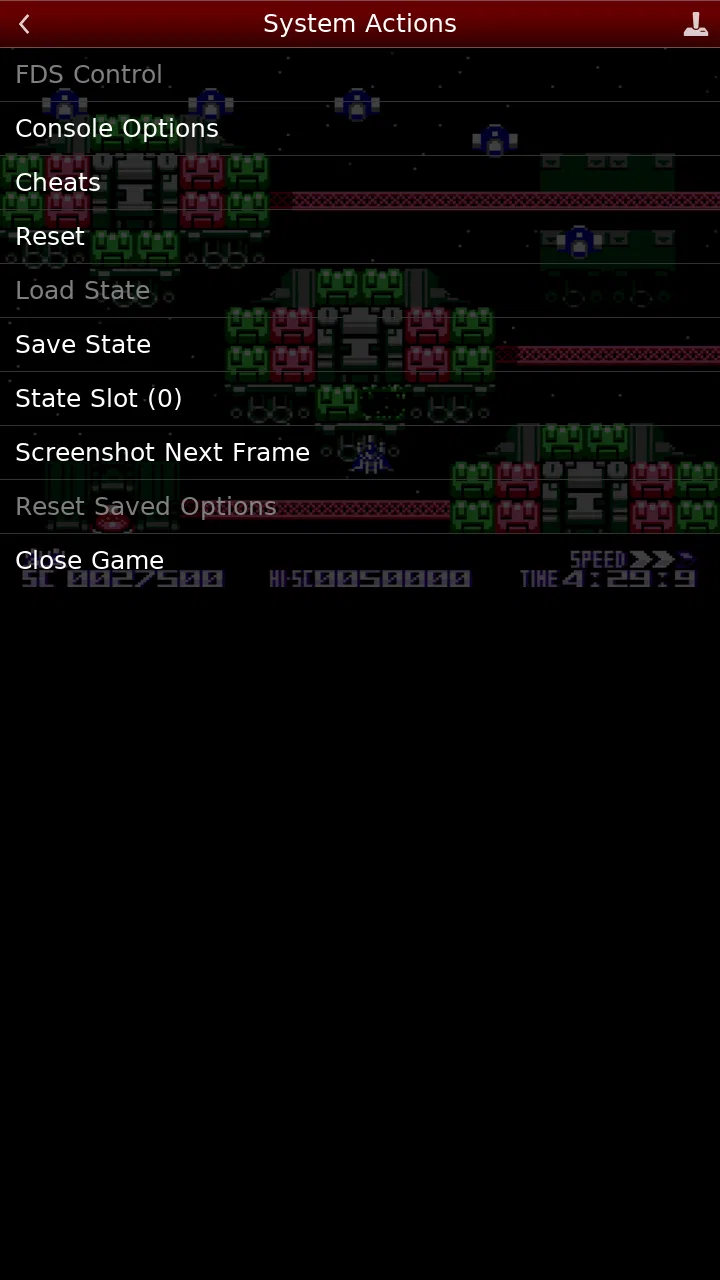
NES.emu includes features intended to make classic games more convenient on mobile devices, such as save states, state loading, configurable controls, and display options. These tools let you save progress at almost any point instead of relying only on the original game’s password or save system. However, save states can occasionally become unreliable after changing ROMs or emulator settings, so keeping regular in-game saves where available is still a good practice.
Pros
- Accurate NES emulation with responsive controls and smooth gameplay.
- Supports save states for quick progress recovery.
- Works with many standard NES ROM formats.
- Offers customizable on-screen controls and button layouts.
- Includes video filters and display options for a retro look.
Cons
- Does not include any NES games; you must provide legally obtained ROMs.
- Some advanced settings may feel confusing for first-time emulator users.
- Touch controls can be less comfortable for extended gaming sessions.
- Performance and compatibility may vary across older devices.
- Certain features may require the paid version of the app.

NES.emu (NES Emulator)
Gallery